Starter
Live TV and the on-demand library in Full HD on one device.
A$69/ year
Usually A$99
- 40,000 live channels with EPG
- 90,000 films & series on demand
- Full HD streams
- 1 device
🇦🇺 Plain-English guide
What is a smart TV box? It is a small device that plugs into your television’s HDMI port and turns it into an internet-connected screen with apps, streaming and live TV. This guide explains how they work, the main types sold in Australia and New Zealand, and how to tell whether your TV needs one at all.

The short answer
So, what is a smart TV box? Picture a phone without a screen, shrunk into a case the size of a coaster. It has a processor, memory, storage, Wi-Fi and usually an Ethernet port, and it runs an operating system such as Android TV, Google TV, Fire OS or tvOS. Plug it into the HDMI socket on your television, connect it to the internet, and the TV shows the box’s home screen. From there you install apps for streaming, catch-up, music, games and live TV.
In other words, the box supplies the ‘smart’ and the television supplies the picture. That split is why a ten-year-old TV with a box can feel faster than a brand-new smart TV with a sluggish built-in system.
Plans
One year or lifetime, switched on within minutes.
Live TV and the on-demand library in Full HD on one device.
A$69/ year
Usually A$99
Our pick
The bigger library in 4K with 3-day catch-up.
A$119/ year
Usually A$169
Pay once: dedicated server and up to 4 screens.
A$499one-off
Usually A$769
Your login lands by email, usually in 5–30 minutes.
Inside the box
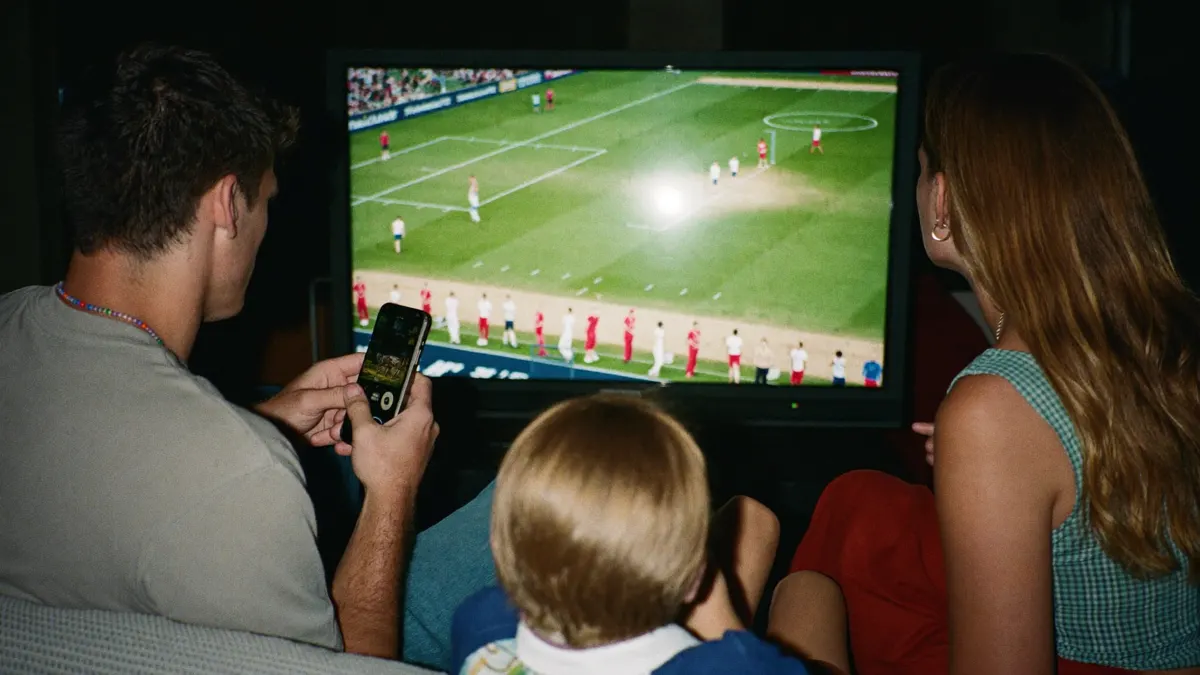
When you press a button on the remote, the smart TV box does all the thinking. It fetches the menu, loads the app, connects to the streaming server and decodes the video. The TV simply displays whatever arrives over HDMI, the same way it would show a game console or a Blu-ray player.
Three parts decide how good the experience feels. The processor and graphics chip handle menus and video decoding, so a weak chip means stutter in 4K. Memory (RAM) decides how many apps can stay open and how quickly a guide with thousands of channels scrolls. And the network hardware, Wi-Fi and Ethernet, decides whether the stream arrives smoothly.
Most current smart TV box models support 4K output and HDR, but support on paper and performance in practice are different things. A budget box may list 4K yet struggle to scroll a large programme guide. That is worth remembering if you plan to watch live TV through a box rather than just the odd film.
Types
Fire TV Stick and similar dongles plug straight into the HDMI port. Low-cost, easy to carry, ideal for a second TV or travel.
Small boxes with Android-based systems and full app stores. Flexible, with Ethernet on most models, and popular for IPTV players like TiviMate.
Polished, quick and well supported, with a strong app store. A natural fit for homes already using iPhones and iPads.
Set-top units designed for IPTV portals. Simple to use with a classic remote, though their app choice is narrower.
Unbranded boxes sold online. Some are fine, many ship with outdated software. Choose carefully and buy from a known seller.
Smart TV or box
If you bought your television in the last two or three years, it is probably already smart. So why would anyone use a TV with box setup instead of the built-in system? A few common reasons come up again and again.
Speed. TV makers put modest processors in their sets to keep prices down. Streaming boxes are built to do one job and often feel much snappier, especially in apps with long channel lists.
App choice. Samsung and LG TVs run their own systems with smaller app stores. Some useful players simply are not available on them, while Android-based boxes and Apple TV have far wider catalogues.
Updates. Televisions stop getting software updates after a few years. A smart TV box costs less to replace than a TV, so you can keep the panel and refresh the brains.
Older TVs. A non-smart TV with an HDMI port becomes fully streaming-capable the moment you add a box. That is often the most affordable way to modernise a spare TV in a bedroom or a holiday house.
A quick side-by-side for typical Australian and NZ setups.
| Feature | Built-in smart TV | Smart TV box |
|---|---|---|
| App range | Limited on some brands | Wide on Android-based boxes and Apple TV |
| Menu speed | Varies, often slower on older sets | Usually quicker |
| Software updates | Stop after a few years | Cheaper to refresh |
| Extra cost | None | Price of the box |
| Cable clutter | None | One small box or stick |
| Works on old TVs | No | Yes, with an HDMI port |

Buying
You do not need the most expensive model, but a few specs are worth checking on the box or product page.
Anyone researching what is a smart TV box will run into ‘fully loaded’ listings online. Be wary of boxes sold with apps already installed. They often contain unofficial software, stop working after an update and come with no support. A clean, mainstream smart TV box with apps you install yourself is safer and lasts longer.
Myths
Clearing up a few misunderstandings helps. What is a smart TV box not? It is not a TV tuner, so it will not pick up channels from your roof aerial on its own. It is not a subscription either: the box is hardware, and the apps or services you watch through it are separate.
It is also not a magic fix for a weak internet connection. If your Wi-Fi drops out in the lounge, the box will struggle just like a smart TV would. And it is not a licence to install anything you find online; the safest setups use mainstream apps from an official store. Get those points straight and a TV with box setup is one of the simplest upgrades you can make to a home entertainment system.
Older TVs
Quite a lot. If you have a perfectly good Full HD television from a few years back, the panel itself probably still looks fine. What has aged is the software: missing apps, slow menus, no updates. A box fixes all of that for the price of a takeaway dinner for two, and the TV gets a second life.
This is the situation where people most often ask what is a smart TV box going to change, and the answer is almost everything you interact with. The remote, the home screen, the app store and the speed all come from the box. The TV with box combination often feels newer than a mid-range smart TV bought this year.
It also makes sense for spare screens: the bedroom, the granny flat, the bach or the caravan. A small stick is easy to move from TV to TV, so one device can follow you around.
Now that the question of what is a smart TV box is answered, setup is much the same across brands. Expect about ten minutes, most of it waiting for updates.
Connect the box to a free HDMI port on the TV and plug in the power. Sticks may use a USB cable or a small adapter.
Use the TV remote’s Source or Input button to choose the HDMI port you used.
Plug in an Ethernet cable, or pick your Wi-Fi network and enter the password.
Sign in with the account the system asks for, then let it install any updates before adding apps.
Open the app store and add the streaming, catch-up or IPTV players you plan to use.
Move your most-used apps to the front so the family can find them without hunting.
Using it for IPTV
Ask a retailer what is a smart TV box best for and they will say streaming apps, but it is just as good for live television delivered over the internet, known as IPTV. An IPTV service gives you a login, the box runs a player app, and thousands of live channels appear in a guide much like pay TV, without a dish or an installer.
This is where the choice of hardware shows. Flicking through tens of thousands of listings feels far lighter on a decent Google TV unit, the 4K edition of Amazon’s stick or Apple’s box than on a tired built-in TV system. Our IPTV box guide covers which models suit live TV best, and the Firestick setup page walks through the most popular stick step by step.
If you want to try it, IPTV AUNZ sells a Full HD Starter year for A$69, a 4K year for A$119, or lifetime access on Max for a single A$499. Each takes in home-grown and Kiwi stations, overseas packs, sport and films on demand, and we will help get the box talking to our servers over WhatsApp. Compare them on the plans page.
Message us with your box model and we will tell you the best app for it, then help you set up a plan from A$69 a year.

Written and kept up to date by the people answering our WhatsApp line, seven days a week.